Physics integration
Matter simulates a two-dimensional cell world. Unity Rigidbody2D and Rigidbody objects are separate systems. The Feature Showcase demonstrates how to connect them; its 3D course renders and couples objects against the same 2D simulation, not a volumetric 3D fluid solver.
Core facilities and sample code
The core package supplies cell/world mapping, terrain boundaries, cell/chunk queries and edits, obstacle information and substance interaction settings. The following controllers belong to the optional Feature Showcase sample:
MatterPhysicsShowcaseController: course construction, collision authoring, body management and coupling controls.MatterPhysicsFluidSampler: sampled fluid information for the course.MatterPhysicsBodyProfile: per-body demonstration configuration.
Import that sample to inspect or adapt these implementations. They are project source examples, not a general-purpose physics component API or a dependency required by Basic Setup. Keep application-specific coupling code in the project.
Try the two physics courses
Open Physics 2D or Physics 3D from the carousel or Gallery. Physics worlds select Place automatically. Place a body over solid terrain, the settled sand bed and the water basin to compare collision, buoyancy and drag. Use Delete object or Clear placed objects to remove placed items without erasing the matter.
The 2D course retains the sand source over the house; neither course automatically drips sand or water over the pond. Place a source or use Paint for that experiment.
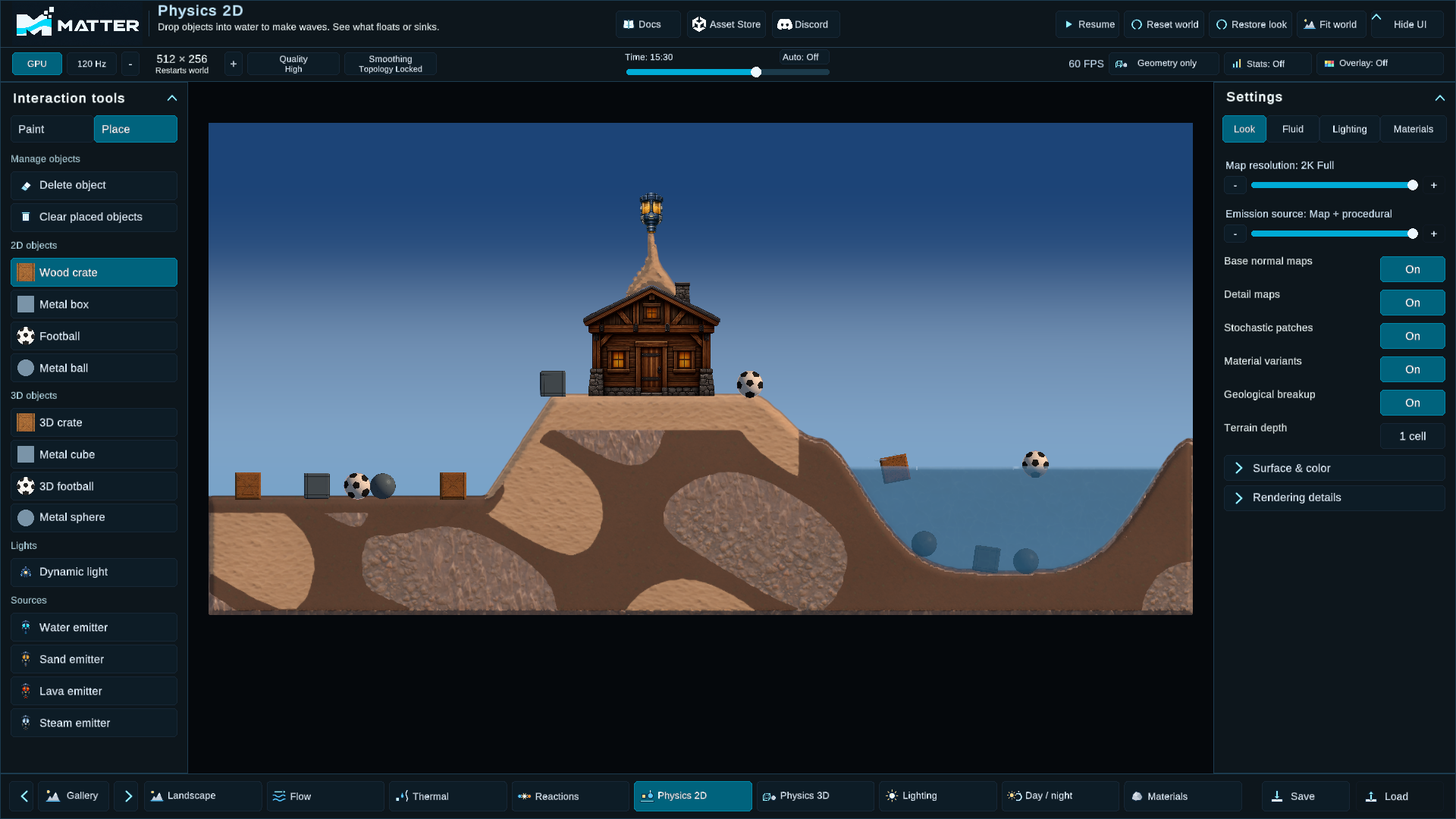
Four different effects
| Effect | What changes |
|---|---|
| Terrain collision | Generated collision represents the cell terrain for Unity bodies. Rebuilding it has a cost. |
| Buoyancy and drag | Sampled fluid applies forces to Unity bodies; it does not make the cell solver a 3D fluid simulation. |
| Physical water waves and displacement | Coupling changes authoritative cell behavior around objects. Inspect each toggle independently. |
| Visual ripples, foam and spray | Rendered surface detail and particles. These do not replace physical coupling. |
Physical water waves are enabled in the authored course. Dynamic Matter colliders are opt-in: moving silhouettes can block sand and water. Liquid displacement is off by default and conservatively moves newly covered water above the collider. The sample's settings remain separate so the cost and visible result can be compared.
Only physics objects trigger the pooled splash spray. Falling sand, water and other cell materials do not create that object-entry particle effect. Material motion can still change the liquid surface through the simulation.
Integrating into a game
- Establish the simulation's origin and cell size; convert object coordinates through the manager's world/cell mapping helpers.
- Choose which substance and object layers participate in collision, displacement and impact waves. Configure these on the substance definitions and rebake simulation data where required.
- Decide when to refresh collision and fluid samples. Reuse buffers and coalesce terrain rebuilds across edits instead of rebuilding the whole grid per pointer event. Use asynchronous reads on WebGPU.
- Apply Unity forces at the application's physics cadence. Treat a pending or stale readback explicitly; do not assume newly requested data is immediately ready.
- Test objects at the surface, submerged, on sand, after painting and after loading a world. World saves contain cells, not placed bodies or their velocities.
Use the unchanged sample as a comparison fixture before adding application logic. Resolution, object counts, readback frequency and collider rebuilds affect cost. The Showcase's highest grids do not establish a real-time performance guarantee. See Benchmarking for reproducible measurements.